
GPT vs MBR: A Comprehensive Guide to Choosing the Right Partition Style for Your Disk
By William Brown
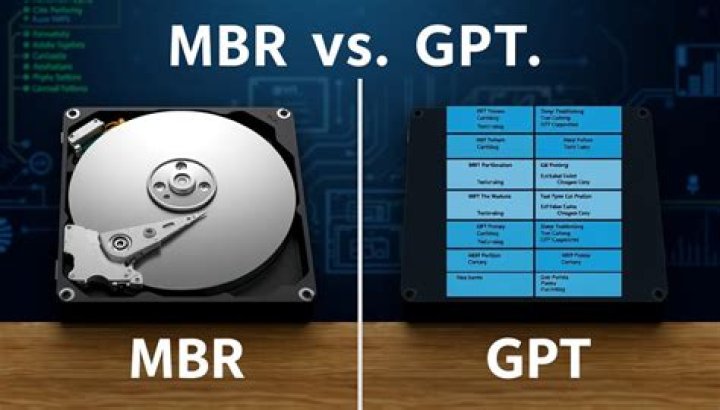
In today's digital world, understanding the differences between GPT and MBR partition styles is crucial for optimizing your computer's performance and ensuring data integrity. Whether you're a tech enthusiast or a casual user, knowing how these two systems work can significantly impact how you manage your storage devices. This article will explore GPT vs MBR in detail, helping you make informed decisions about your disk setup.
GPT (GUID Partition Table) and MBR (Master Boot Record) are two primary partitioning schemes used by computers to manage storage devices. Each has its strengths and limitations, and understanding these differences is key to selecting the right option for your needs. As technology evolves, the importance of using the most efficient and secure partitioning system becomes more pronounced.
This guide aims to provide a comprehensive overview of GPT vs MBR, ensuring that you have all the necessary information to decide which partition style suits your requirements. By the end of this article, you'll understand the technical aspects, advantages, and disadvantages of both systems, enabling you to make a well-informed decision.
Table of Contents
- Introduction to GPT and MBR
- What is GPT?
- What is MBR?
- Key Differences Between GPT and MBR
- Advantages of GPT
- Disadvantages of GPT
- Advantages of MBR
- Disadvantages of MBR
- Compatibility Considerations
- Choosing Between GPT and MBR
- Conclusion
Introduction to GPT and MBR
GPT and MBR are two partitioning systems that define how data is stored and accessed on a hard drive or SSD. Each system has been designed to address specific needs, with MBR being the older standard and GPT representing a more modern approach. Understanding these systems is essential for anyone managing storage devices, as they influence how data is organized and retrieved.
What is GPT?
GPT, or GUID Partition Table, is a newer partitioning standard introduced as part of the UEFI (Unified Extensible Firmware Interface) specification. GPT offers several advantages over MBR, including support for larger drives and improved data integrity. It uses a globally unique identifier for each partition, making it more reliable and flexible.
Key Features of GPT
- Supports drives larger than 2 TB.
- Allows up to 128 primary partitions per disk.
- Includes redundant backup partition tables for enhanced recovery.
What is MBR?
MBR, or Master Boot Record, has been the traditional partitioning scheme used in BIOS-based systems. It divides a disk into partitions, enabling the operating system to manage data storage. While MBR is still widely used, its limitations have led to the adoption of GPT in newer systems.
Limitations of MBR
- Limited to drives smaller than 2 TB.
- Supports only four primary partitions without extending.
- Lacks redundancy, making it more prone to data loss.
Key Differences Between GPT and MBR
The primary differences between GPT and MBR lie in their capabilities, limitations, and compatibility. Below is a detailed comparison to help you understand which system might be better suited for your needs.
- Drive Size: GPT supports drives larger than 2 TB, while MBR is limited to 2 TB.
- Number of Partitions: GPT allows up to 128 partitions, whereas MBR supports only four primary partitions.
- Data Integrity: GPT includes backup partition tables, enhancing data recovery options, whereas MBR lacks this feature.
Advantages of GPT
GPT offers numerous benefits that make it the preferred choice for modern systems. Below are some of the key advantages:
- Enhanced Capacity: GPT supports drives larger than 2 TB, making it ideal for modern high-capacity storage devices.
- Improved Reliability: With redundant backup partition tables, GPT ensures better data integrity and recovery options.
- Flexibility: GPT allows up to 128 partitions per disk, providing greater flexibility in managing storage.
Additional Benefits of GPT
GPT is designed to work seamlessly with UEFI systems, offering better security features such as Secure Boot. This compatibility ensures that modern operating systems can fully leverage the capabilities of GPT.
Disadvantages of GPT
Despite its advantages, GPT does have some drawbacks that may affect its usability in certain scenarios.
- Compatibility Issues: Older systems that rely on BIOS may not support GPT, limiting its use in legacy environments.
- Complexity: GPT's advanced features can make it more complex to configure and manage compared to MBR.
Advantages of MBR
MBR remains a popular choice due to its simplicity and widespread compatibility. Below are some of its key advantages:
- Wide Compatibility: MBR works with both BIOS and UEFI systems, ensuring broad support across different platforms.
- Simplicity: MBR is straightforward to configure and manage, making it ideal for users who prefer a simpler setup.
Additional Benefits of MBR
MBR's simplicity and compatibility make it a reliable choice for many users, especially those working with older systems or smaller drives. Its ease of use ensures that even less tech-savvy individuals can manage their storage effectively.
Disadvantages of MBR
While MBR offers several advantages, it also has notable limitations that can impact its effectiveness.
- Drive Size Limitations: MBR is restricted to drives smaller than 2 TB, making it unsuitable for modern high-capacity storage devices.
- Partition Limitations: With only four primary partitions supported, MBR lacks the flexibility needed for complex storage configurations.
Compatibility Considerations
When choosing between GPT and MBR, compatibility is a critical factor to consider. Below are some considerations to keep in mind:
- System Firmware: Ensure your system firmware (BIOS or UEFI) supports the partition style you choose.
- Operating System: Verify that your operating system is compatible with the selected partition style.
- Backup and Recovery: Consider how each partition style affects your ability to back up and recover data.
Choosing Between GPT and MBR
Selecting the right partition style depends on your specific needs and the capabilities of your system. Below are some guidelines to help you make an informed decision:
- For Modern Systems: Choose GPT if you're using UEFI-based systems with high-capacity drives.
- For Legacy Systems: Opt for MBR if you're working with older systems or smaller drives.
- For Flexibility: Consider GPT if you need more partitions and enhanced data integrity.
Conclusion
In conclusion, understanding the differences between GPT and MBR is essential for optimizing your storage setup. GPT offers numerous advantages, including support for larger drives and improved data integrity, making it the preferred choice for modern systems. However, MBR remains a viable option for older systems and simpler configurations.
We encourage you to share your thoughts and experiences in the comments section below. Additionally, feel free to explore other articles on our site for more insights into technology and storage management. By staying informed, you can make the most of your hardware and ensure optimal performance for your computing needs.


